Skip to content
FlowForge Desktop Mac today · Linux coming

Build real software —
without ever touching a terminal.

ACE — “Never alone.” The concierge that’s with you the whole way.

Double-click an icon and you’re in the full FlowForge cockpit on your project — no cd, no git, no setup, no “what’s a terminal.” From zero to hero: the whole tool, native on your Mac.

FlowForge Desktop — your project
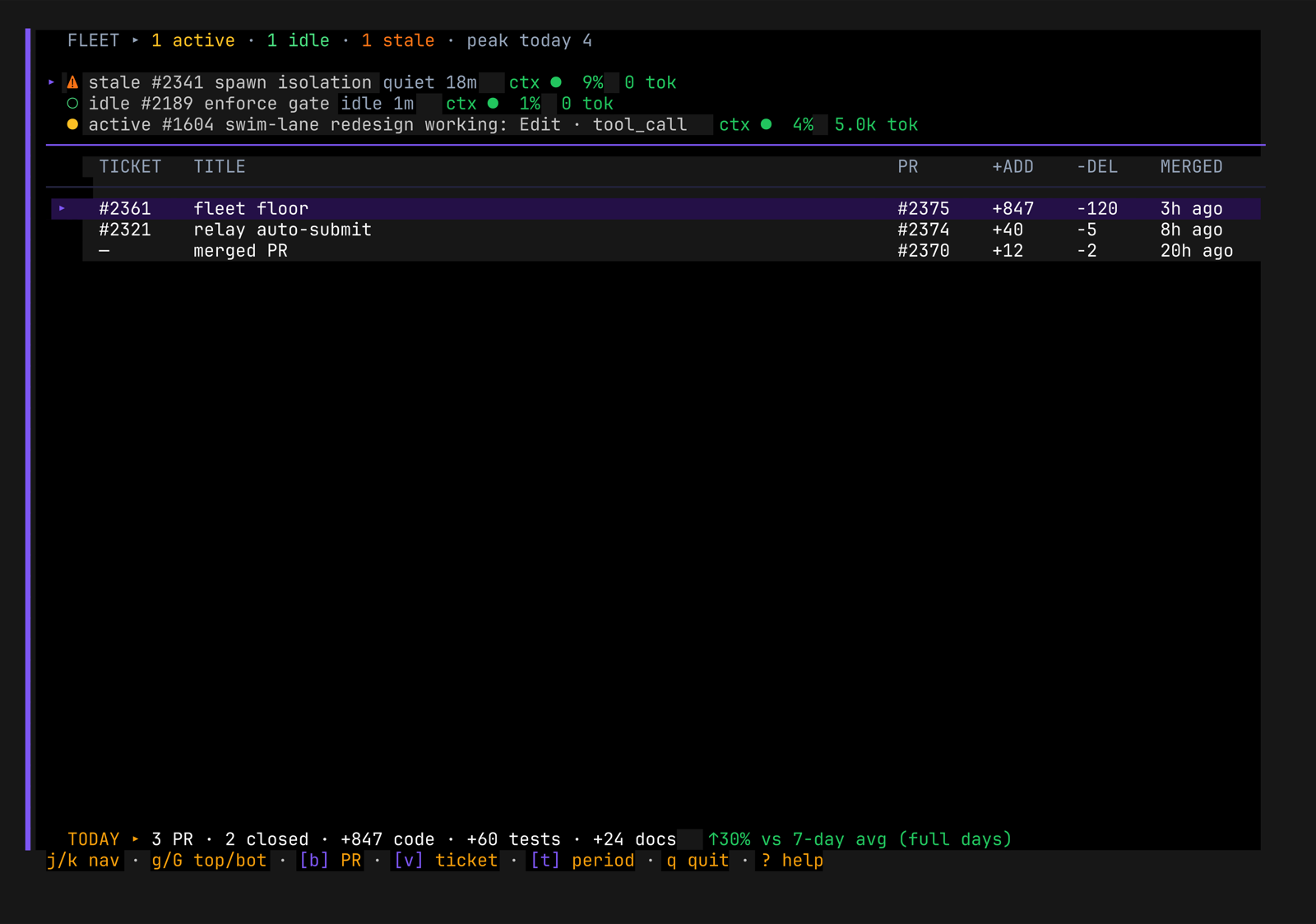
The FlowForge cockpit running inside the desktop app: a Fleet view listing active, idle and stale workers with their tickets, pull requests, code and test line counts, and a live status bar.
The real cockpit, running in the app — captured live, not a mockup.

Never alone

“No Claude, I’ll not run it — se vira — I’ll not use a terminal.”

The terminal is a wall. FlowForge Desktop is the door.

A doctor, a founder, a manager — anyone can build software with AI now. What stops them is the jargon wall: the TUI, the git CLI, the “run this command.” FlowForge Desktop is the envelope around all of it. ACE is there for whatever you need, so you’re never staring at a blank terminal alone — you just describe what you want, and you’re building.

Proof 01 · Visual blueprints

A blueprint you can show anyone — free, one click.

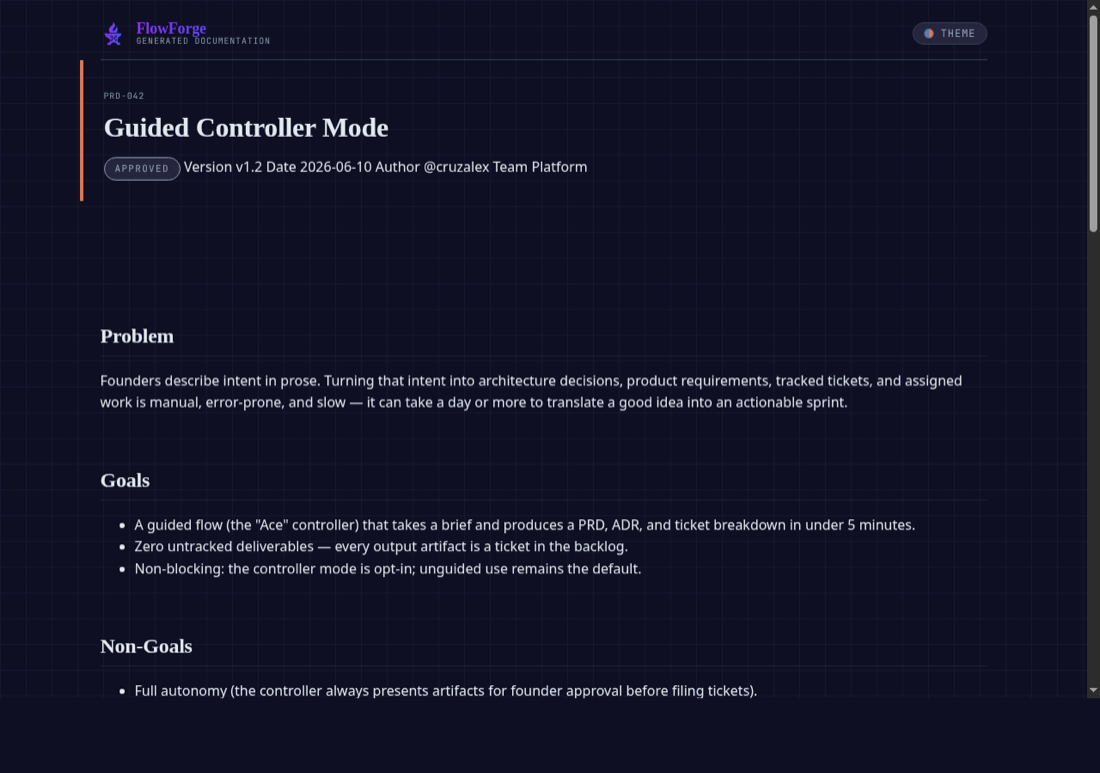
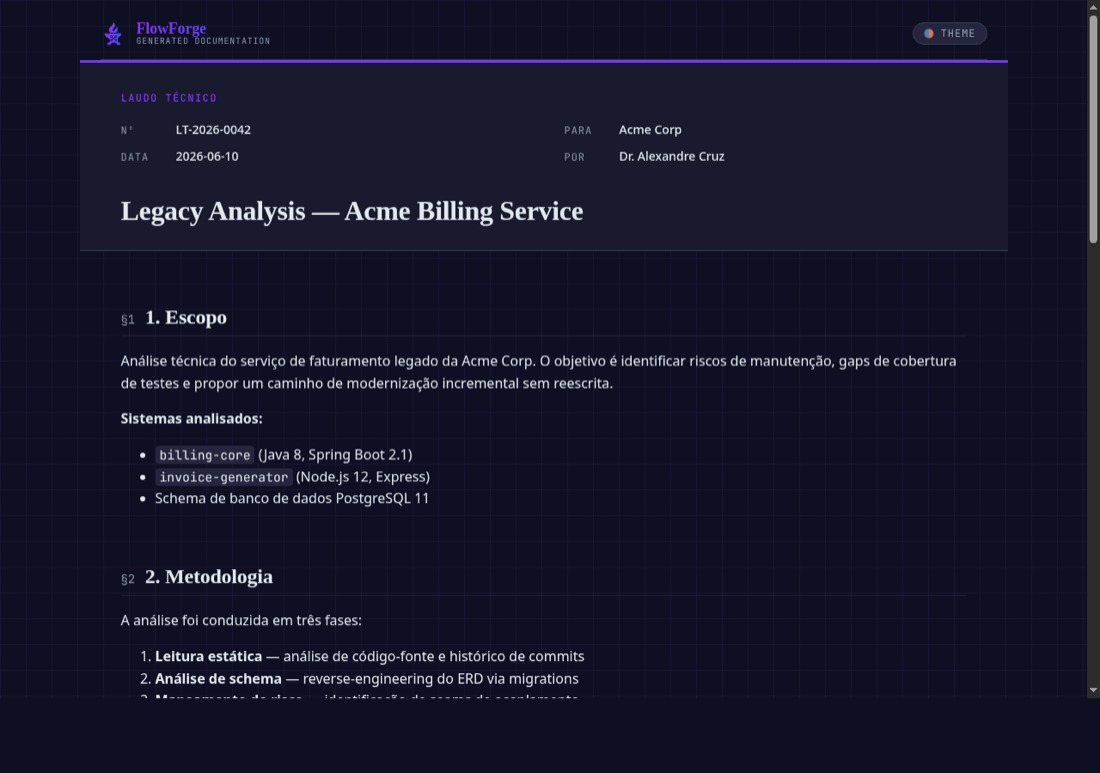
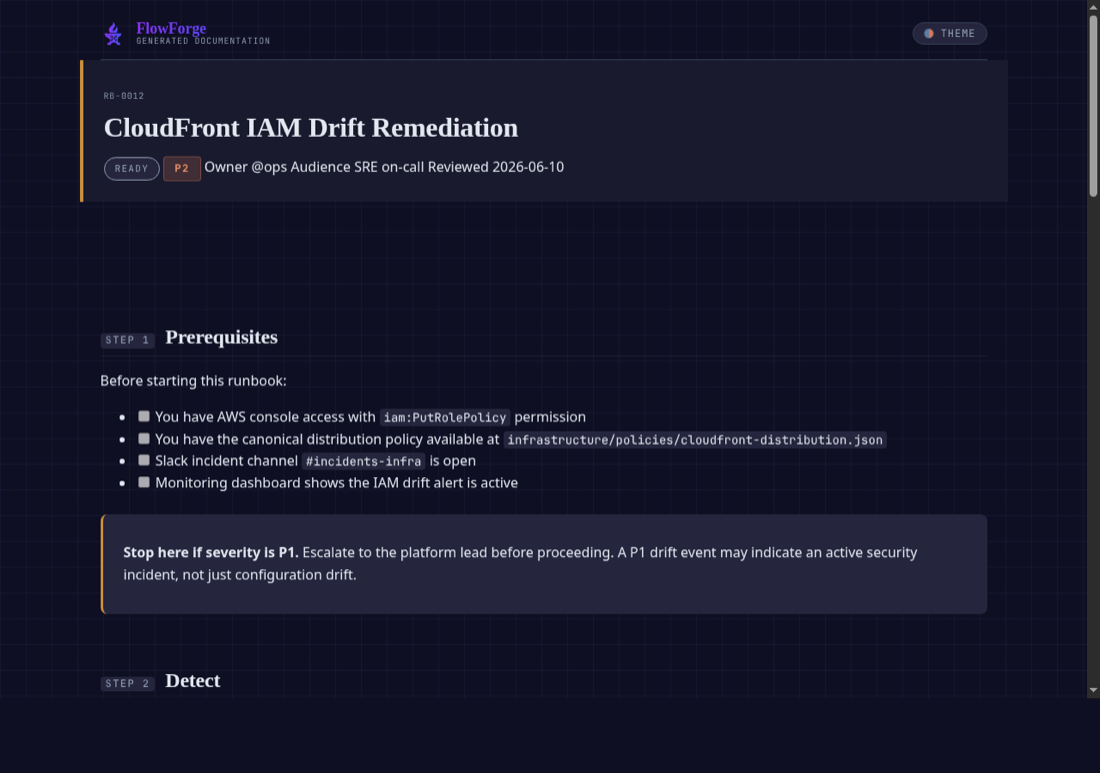
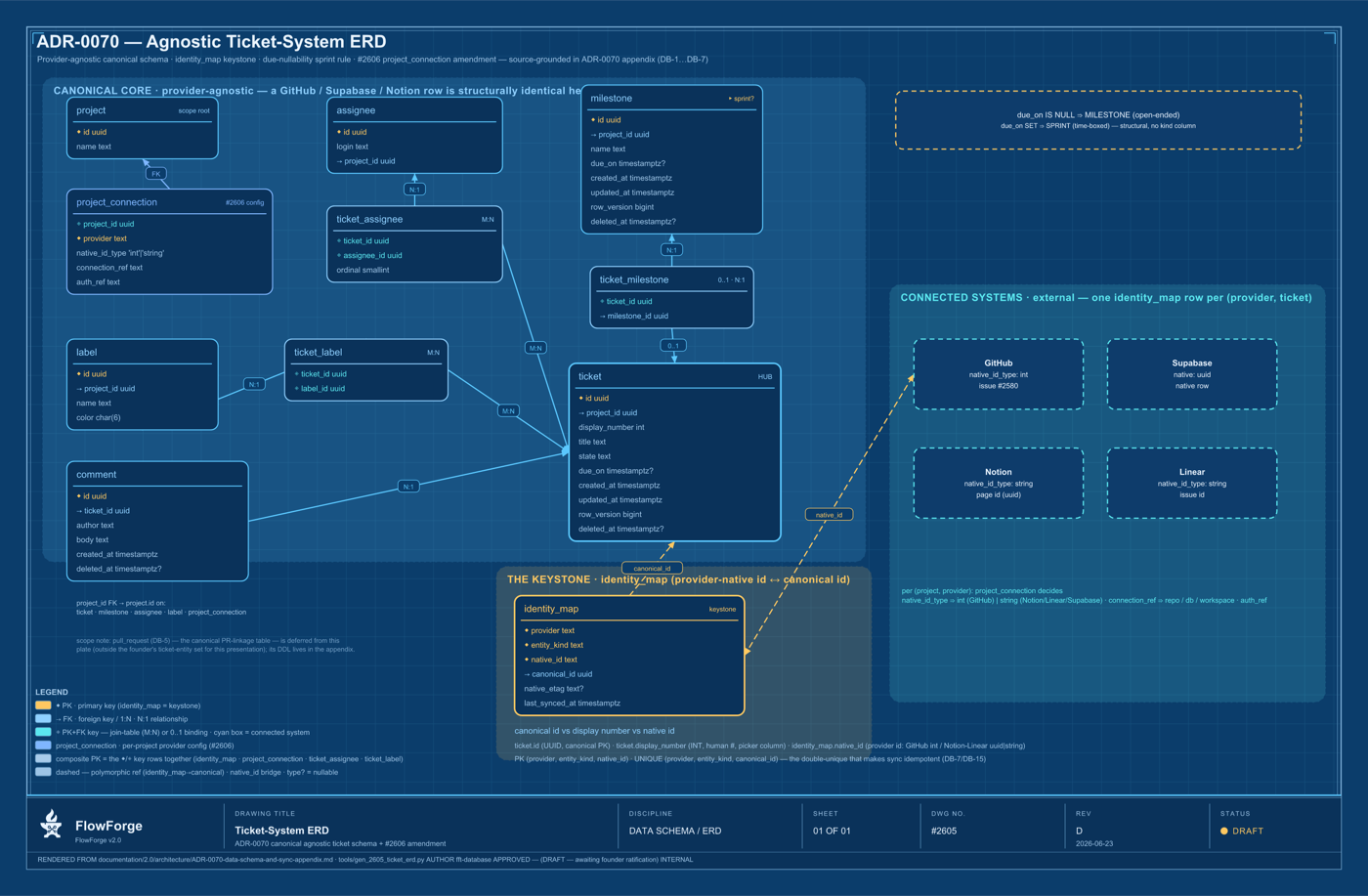
Our minds are visual. A designed artifact beats arguing in text. FlowForge turns your idea into real, themed documents — an ERD, the flows, the charts, a PRD or ADR your tech team can build from — on that amazing theme, one click away. Ready to show your investor, your team, even your dad.

Every blueprint is generated for free and opens in one click — no design tool, no export dance.

Two more reasons it just works

Proof 02

Preview — see it live

No hunting for files. Run a server and it opens, automatically.

The devops agent sets everything up and opens the preview for you — no paths, no commands. Ask for a landing page and ForgePlay builds it, then it appears in the preview the moment it's done. Tweak it, and watch it change live.

Proof 03

Leave it to the fleet

Parallel work, zero terminal knowledge. Things just work.

No tmux, no juggling windows. ACE runs a fleet of workers in parallel and tells you only when it truly needs you — it knows the difference between “needs the human” and “ACE can deal with it.” Turn on auto-merge, create waves, and autochain, then leave it unattended: ACE takes the fleet to the promised land.
The quality machine

Quality, obsessed over — the extermination of saci-pererê

Every milestone is sealed and graded. Gates, hooks, git-hooks and file-change limits keep the AI honest; a never-commit-to-main git flow protects your work; the designer-blueprint is sacred. The result is software that actually holds together — the bugs (the gremlins, the saci-pererê) get exterminated before they ship.

  • Seal + grade on every milestone and sprint
  • Quality-zone + micro-tickets keep AI accuracy sharp
  • Blueprint-sacred: the design is the contract

“Find five TUIs with the quality of ours — you won’t.”

Get paid for your time

Time-tracking → proof-of-work invoicing

FlowForge tracks the time you spend per project and turns it into an invoice with proof of the work behind it. The core promise — get paid fairly for your time — built right into the app, no spreadsheet, no guesswork.

  • Automatic per-project time tracking
  • Invoices generated with proof-of-work
  • Fair earnings, on the record

Talk to it

Audio in and out — free, and multilingual

Speak to FlowForge and hear it back. No separate voice software, no extra subscription, and it speaks more than one language. On macOS it runs on native CoreAudio — the mic just works.

  • No separate voice app or subscription
  • Multiple languages supported
  • Native macOS audio — no dead mic

For developers, too

Several cockpits, side by side — one click

Power users are not left behind. The Mac app runs two cockpits side by side, or several each in its own terminal, one click away. The whole multi-project fleet, native, without the window juggling.

  • Two cockpits side by side
  • Several projects, each its own terminal
  • One click — no tmux archaeology
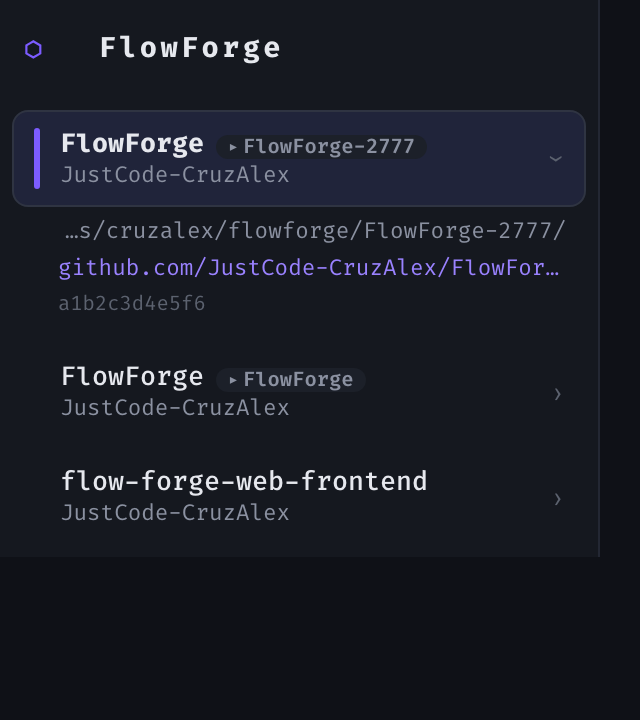
Projects
The FlowForge Desktop multi-project rail: a selected project with its repository, path and commit, above two more projects, each one click away.

What’s next

Really neat things on the way — clearly labelled, not part of 1.0.

On the roadmap · not in 1.0

Control it from your phone

An iPhone and Android companion to drive the desktop app remotely — check on the fleet and answer ACE from anywhere.

On the roadmap · not in 1.0

The dashboard, in the app

All the goodies — stats, billing, the full picture — right inside the desktop app or your browser.

Included in every plan

The desktop app isn’t an upsell. It’s the experience your plan unlocks.

FlowForge Desktop comes with every tier — Solo, Team and Enterprise. Compare that to a standalone agent terminal at $30/month for the terminal alone.

  • Solo $22/month
  • Team $35/dev/mo · min 2 seats
  • Enterprise $99/dev/mo
See full pricing

Download FlowForge Desktop.

The whole cockpit, double-clickable, on your Mac. Find five TUIs with the quality of ours — you won’t.

Mac today · Linux coming