|
|
SHEET 1/1 · REV v1.2.30 · DATE 2026-10 · DRAWN BY Alex
|
|
View online →
|
|
Let us say what we feel, and feel what we say; let speech harmonize with life.
— Seneca, Moral Letters to Lucilius, 75.4 (tr. Richard M. Gummere)
|
|
A number on a screen is speech too. This release makes FlowForge's numbers say only what they know, and say so when they do not.
|
|
Hi,
On 1.2.29 a day FlowForge had not read could draw as a zero, a session a machine closed late could bill time nobody worked, and a Waves run could sit on free slots with tickets ready. This release is about one thing: the numbers you get, on screen and on an invoice, now say what they know.
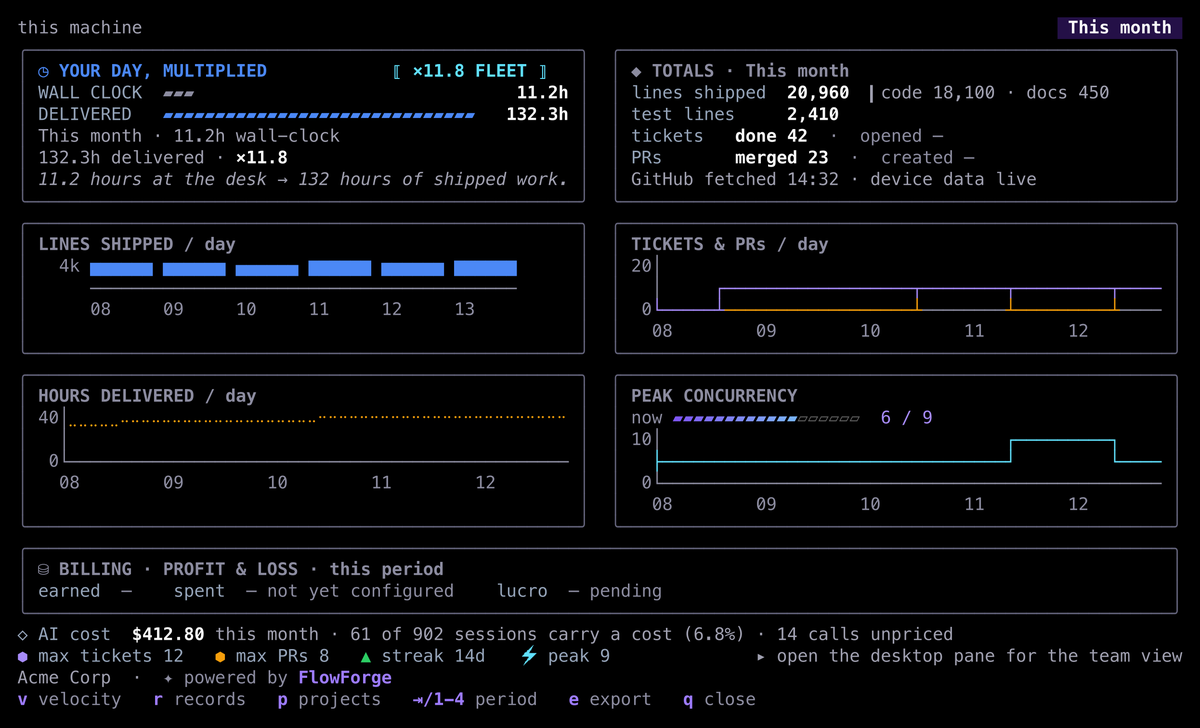
What I would show you first is the rebuilt Stats screen. It puts your hours at the desk beside the hours your sessions delivered, shows this month's AI cost with how many sessions that figure covers, and says when GitHub was last read.
Please try three things: press P for Stats and then p for your hours by project; press enter on a ◉ epic row in the War Room; and with two runs going, press Tab until the waves line takes the focus. On a busy machine, workers now leave the CPU to you first. Before you start, read Not yet at the end of this letter: one limit that the 1.2.29 letter said this release would fix is still open. If anything breaks, or simply reads wrong, reply and tell me. I read every one.
All the best,
Alex
|
|
|
This release, in numbers
|
|
113 pull requests
merged.
|
|
152,158 lines added
— code 54,144 · tests 78,915 · docs 19,099.
|
|
Delivery mix
— feature 47% · docs 19% · bug 16% (the three largest).
|
|
|
Merged in two days, with more lines of tests than of code. You are the first to run it.
|
|
|
The Stats screen says what it knows
The first card puts your wall-clock hours beside the hours delivered across your sessions, and the factor between them. AI cost comes with its population: how many of the month's sessions carry a cost, and how many calls could not be priced. A day FlowForge could not read shows · or not read, never a zero, and the totals end with when GitHub was last read.
|
|
|
|
|
53 specialists: one new, for the e-mail you send
|
|
|
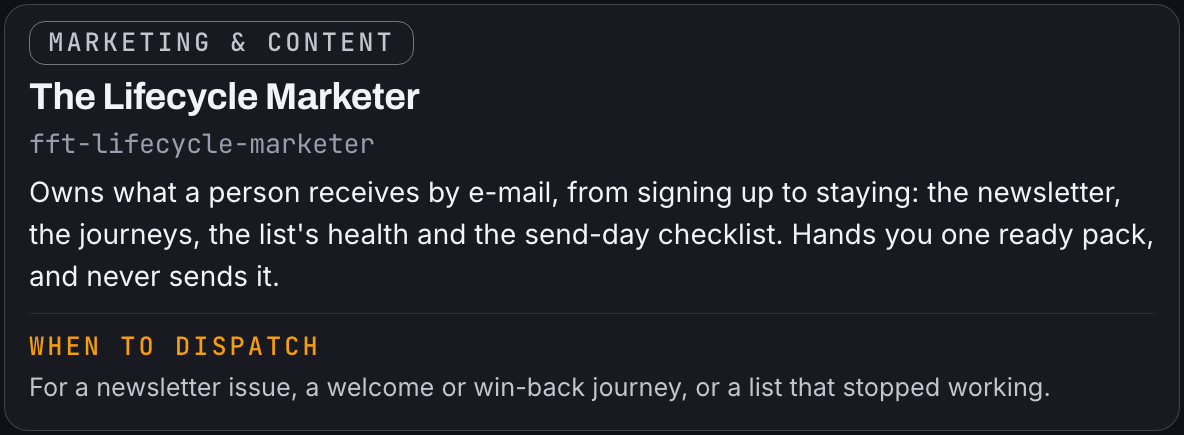
fft-lifecycle-marketer joins the marketing team as the owner of what a person receives by e-mail, from signing up to staying. It assembles each newsletter issue from the agents that own its parts, reads the list's health with the data analyst, and runs the send-day checklist: the gate, the preflight, the seed, consent and unsubscribe. It briefs the words, and it never sends: you do.
|
|
|
|
Two marketing agents: the message, then the proof
|
|
Two agents split what your company says about itself: one decides the message, the other keeps every claim true.
|
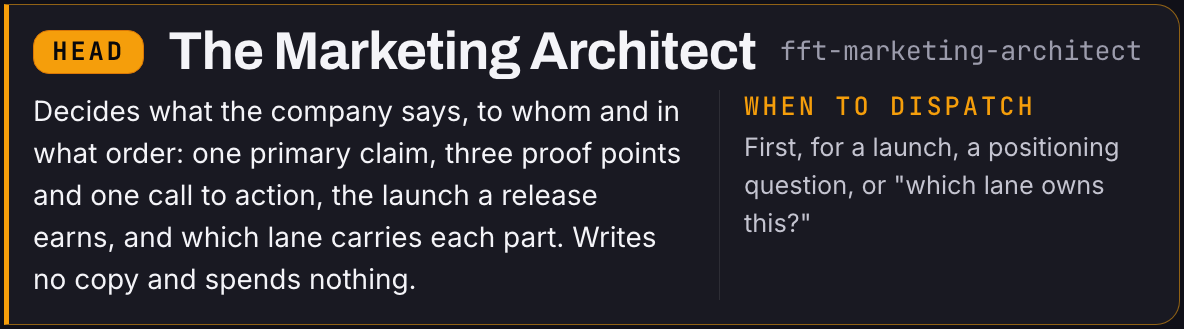
fft-marketing-architect
|
|
|
|
fft-marketing-architect decides what your company says, to whom and in what order: one primary claim, three proof points and one call to action. It sets how big a launch a release earns and which agent carries each part, and it never writes the copy or spends a cent.
|
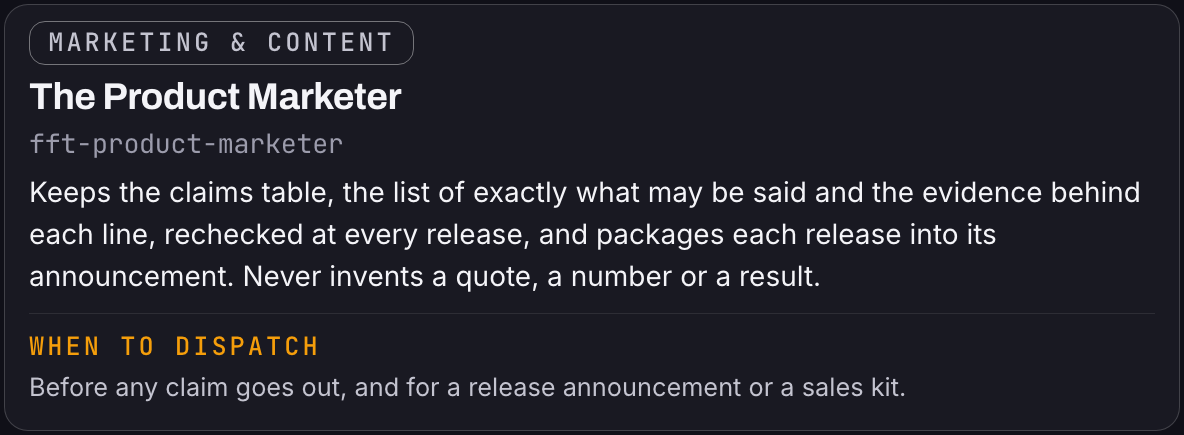
fft-product-marketer
|
|
|
|
fft-product-marketer keeps the claims table: every sentence you may say about the product, the evidence behind it and the date it is checked again, at every release. It turns each release into its announcement at the size the head decided.
|
|
What changes:
|
|
• A launch post. Before: each writer picks their own headline and numbers. After: fft-marketing-architect locks one message, and every post, page and e-mail speaks from it.
• A claim on your landing page. Before: "the fastest way to ship" stays up because nobody checks it. After: fft-product-marketer holds it to the claims table, and a line with no evidence is rewritten or dropped.
• A release announcement. Before: assembled by hand the night before. After: the head says how big the launch is, and fft-product-marketer packages the release from the notes and the claims that hold.
|
|
Ask ACE, or name fft-marketing-architect for the message and the launch, and fft-product-marketer for the claims and the announcement.
|
|
|
|
Time that no work backs is no longer billed
|
|
|
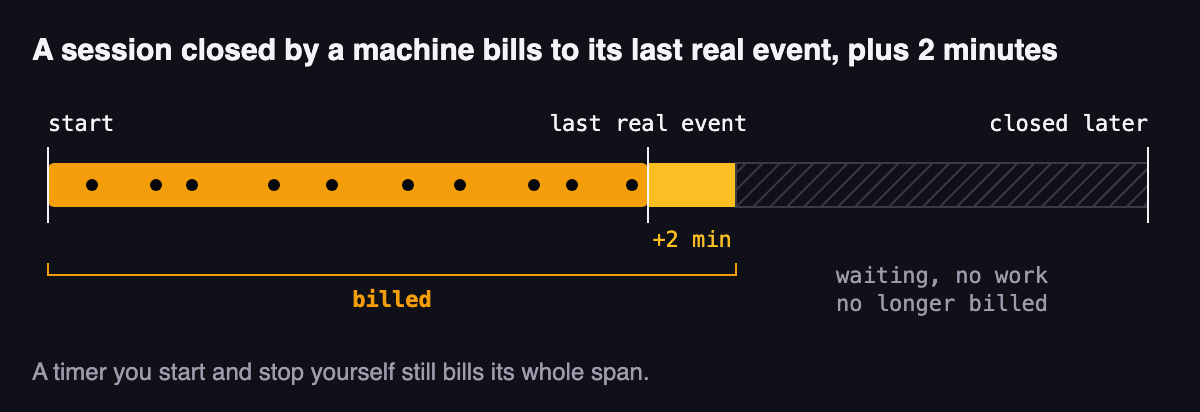
A session a machine closed now bills to its last real event, plus two minutes. Before, a worker session nobody touched billed its whole span up to a later batch close. A timer you start and stop yourself still bills its whole span. A closed session can no longer record more time than its own span: on upgrade, your local store repairs the ones that did and keeps each row's original values in a ledger. Invoices read the same interval, so a charged total can drop by exactly the time no work backs.
|
|
|
|
Waves fills every free slot
|
|
|
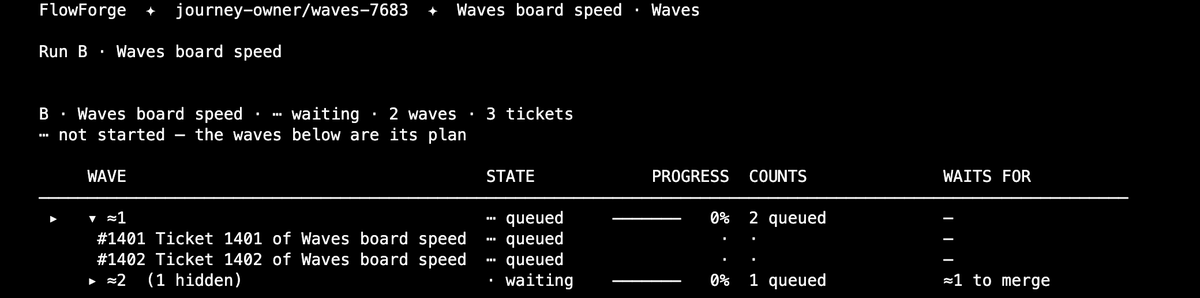
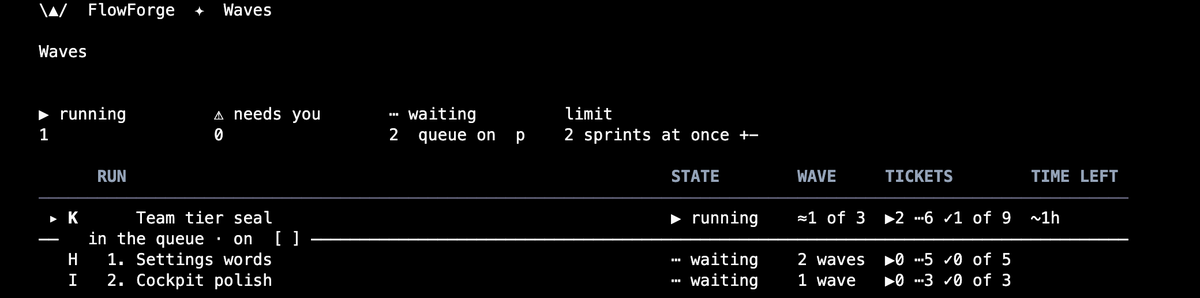
A run now fires its ready tickets as workers finish, instead of sitting on free slots, and a ticket already merged into the version line is never fired again. A sprint waiting in the queue is a real row: it shows its waves and tickets, and enter opens its plan with S to start it now. The Waves board keeps running runs above the rule and waiting sprints below it.
|
|
|
|
The waves line on the home takes the focus
|
|
|
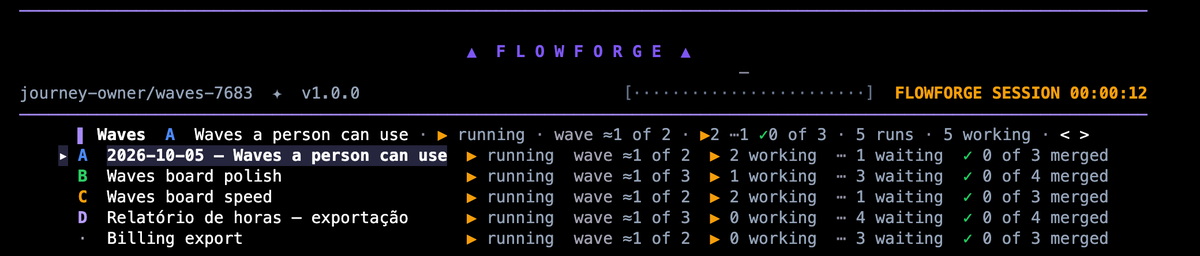
With two runs or more, Tab reaches the waves line on the cockpit home. < and > pick the run, ↑ and ↓ walk the rows, and enter opens the run on Waves. Every live run that fits is shown.
|
|
|
|
An epic opens its own board, across every sprint
|
|
|
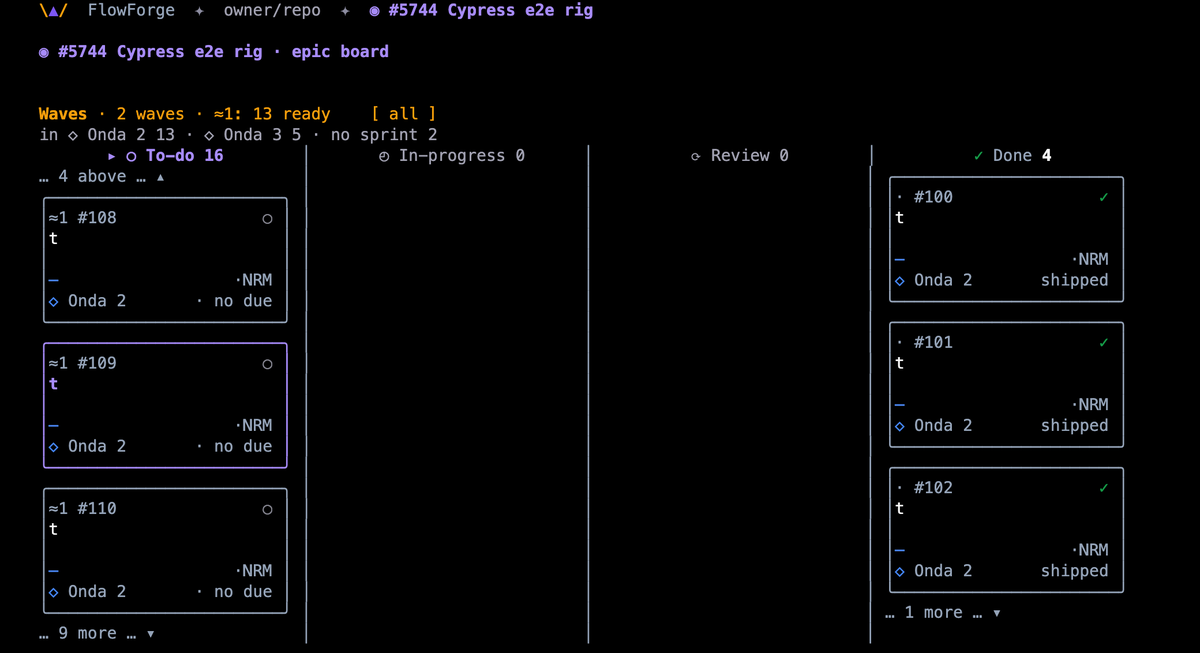
In the War Room, enter on a ◉ epic row opens the epic's own board: every child across every sprint, and those in none, each card tagged with its sprint. W shows its waves, and a child that waits on a ticket outside the epic says so on its card. The epic's critical path says PARTIAL when that happens, and names the ticket.
|
|
|
|
Talking to ACE, from any screen
|
|
Tap Ctrl twice, on any screen, and ACE listens. Press it again to send, or Esc to discard. In a terminal that cannot report a bare Ctrl tap, Ctrl+L does the same; the cockpit shows which one yours has. Turn the voice on once with flowforge voice setup.
|
|
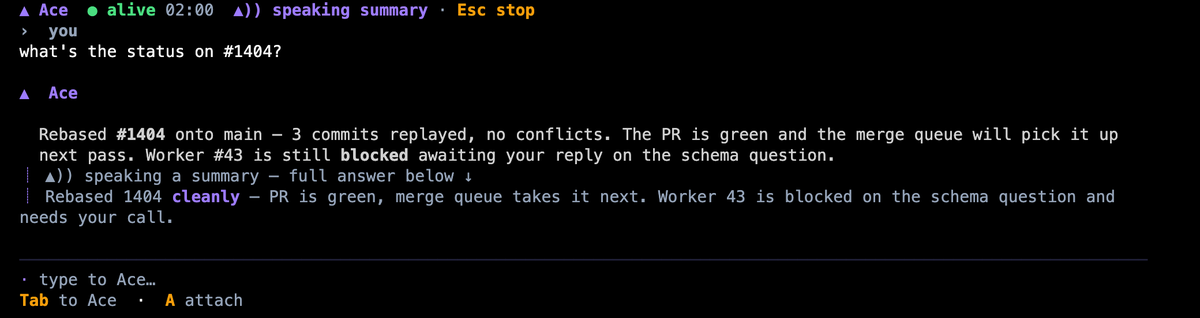
ACE answers in words on screen, and it can speak a short summary of the answer while the full one stays below. In this release the highlighted word follows the voice, at that voice's own pace, and starts only when the audio does.
|
|
|
|
Two limits. The voice needs its one-time setup on each machine. A bare Ctrl tap reaches the cockpit only in a terminal that reports it; everywhere else, use Ctrl+L.
|
|
|
|
Not yet
|
|
|
With many runs at once, a run can still wait for a slot that a finished worker holds, and a run started from the command line may not begin. The 1.2.29 letter said this would be fixed in 1.2.30. It is not yet: this release fixed one cause, and the rest is still open (#7916).
S and F on an epic's own board do not start or fire the epic yet.
|
|
|
HOW THIS LETTER REACHES YOU
|
|
How this letter reaches you
|
|
This letter comes out of FlowForge's own release pack: the same tooling keeps the release notes, the release page and this letter derived from one committed source. Release letters go to FlowForge accounts. The FlowForge Monthly is a separate letter, with its own page at flowforgesoft.com/newsletter.
|
|

Made with FlowForge — 113 PRs · 152,158 lines · 2 days.
Alex — FlowForge · alex@flowforgesoft.com
You are receiving this because you subscribed at flowforgesoft.com, or because you have a FlowForge account or subscription.
This is a marketing e-mail from FlowForgeSoft, LLC, 2810 N Church St STE 88527, Wilmington, DE 19802, USA. Contact: alex@flowforgesoft.com.
Read this letter on the web
Privacy Policy
Update: flowforge update → see how
|
FlowForge · v1.2.30 · sheet 1/1
|
|
|